All demos
OrderEasy Retailer
GreenCart Mini Mart Desktop dashboard 11 steps

Product demo · Retailer journey

Run one shop from one desktop

Eleven screens from the OrderEasy retailer dashboard, captured against a dummy GreenCart Mini Mart: sign in, read the day, bill a walk-in at the POS, keep 55 products and their stock straight, book a distributor bill, settle the khata, work the incoming order queue, run offers, and set when the shop is open.

11 desktop captures 68 callouts 20 zoom views Dummy shop data

Step 1 of 11

01Open the shop · Sign in

One shop, one login

The retailer app opens on a plain username-and-password card: no store picker, no workspace chooser. The account is the shop, so signing in lands straight on that shop’s dashboard.

Order Easy Retailer — Sign in
order-easy-retailer-dashboard/login dummy shop data
Order Easy Retailer sign-in card with username and password fields, a Login button, Forgot Password and Sign up links
Detail of Order Easy Retailer sign-in card with username and password fields, a Login button, Forgot Password and Sign up links — The card

On the card

Wordmark
Order Easy Retailer
Sub-line
Enter your credentials to access your dashboard
Fields
Username · Password
Primary action
Login

Other ways off this screen

  • Forgot Password?
  • Don't have an account? Sign up

Password has a show/hide eye toggle. Nothing else on the screen asks which shop you are.
What signing in unlocks

02Open the shop · Overview

The shop’s day in four numbers

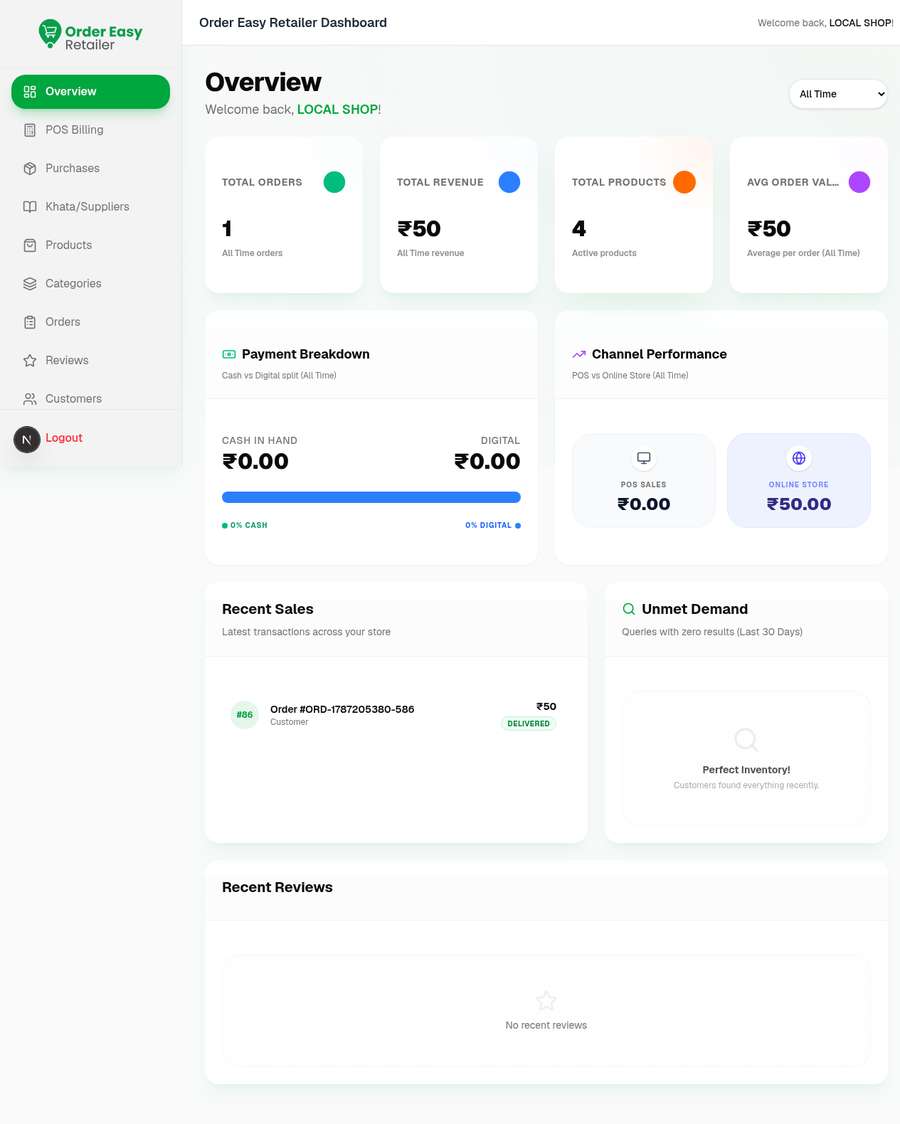
The dashboard opens on four KPIs for the selected range — 10 orders, ₹4,019 revenue, 55 active products, ₹502 average order value — with a cash-versus-digital split and a POS-versus-online split underneath. The range selector is set to All Time in this capture.

The ₹4,019 is not a rounded marketing figure: it is exactly the eight delivered orders on the Orders screen added together, and ₹4,019 ÷ 8 gives the ₹502 average.

Overview · GreenCart Mini Mart
order-easy-retailer-dashboard/overview dummy shop data
Retailer dashboard overview with four KPI cards — 10 total orders, ₹4,019 revenue, 55 products, ₹502 average order value — above payment and channel breakdown panels
Detail of Retailer dashboard overview with four KPI cards — 10 total orders, ₹4,019 revenue, 55 products, ₹502 average order value — above payment and channel breakdown panels — KPI row
Detail of Retailer dashboard overview with four KPI cards — 10 total orders, ₹4,019 revenue, 55 products, ₹502 average order value — above payment and channel breakdown panels — Cash vs digital

The four KPI cards

  • Total Orders 10 All Time orders
  • Total Revenue ₹4,019 All Time revenue
  • Total Products 55 Active products
  • Avg Order Value ₹502 Average per order (All Time)

Payment Breakdown

  • Cash in hand₹1,539.00
  • Digital₹2,027.00
  • Covered by these two tiles₹3,566

Cash vs Digital split (All Time) — the tiles account for ₹3,566 of the ₹4,019 revenue KPI.

Channel Performance

POS vs Online Store (All Time). Two tiles sit below the fold of this capture — one for the POS counter, one for the online store — matching the Online Order and Store Order tags on the Orders screen.

Where the numbers come from

Revenue
8 delivered orders, added up
Avg order value
₹4,019 ÷ 8 delivered = ₹502
Total orders
All 10 rows, pending included
Products
The 55-item catalog

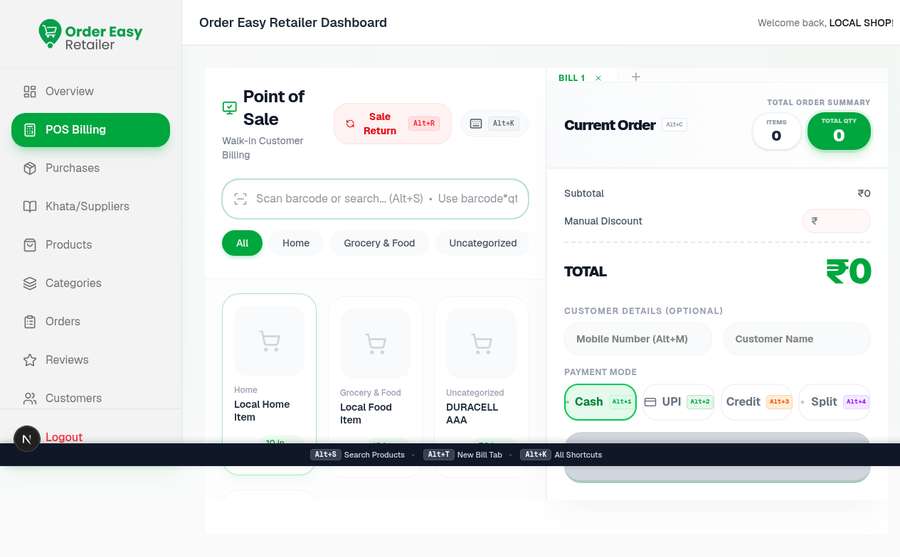
03The counter · POS Billing

Bill a walk-in without touching the mouse

The counter screen is a scan box, a product grid and a running cart. Three lines are in the cart — ₹420 + ₹650 + ₹120 — and the subtotal and total both read ₹1,190 while the offer engine is still calculating. Payment is Cash, UPI, Credit or Split, and every control carries its own Alt-key shortcut.

Point of Sale · Walk-in Customer Billing
order-easy-retailer-dashboard/pos-billing dummy shop data
Point of Sale screen with a barcode search box, three product tiles with live stock, and a current order totalling ₹1,190 with Cash, UPI, Credit and Split payment modes
Detail of Point of Sale screen with a barcode search box, three product tiles with live stock, and a current order totalling ₹1,190 with Cash, UPI, Credit and Split payment modes — Cart total
Detail of Point of Sale screen with a barcode search box, three product tiles with live stock, and a current order totalling ₹1,190 with Cash, UPI, Credit and Split payment modes — Payment modes
Detail of Point of Sale screen with a barcode search box, three product tiles with live stock, and a current order totalling ₹1,190 with Cash, UPI, Credit and Split payment modes — Shortcut bar

The cart on screen

LinePrice
Pedigree Gravy Pack 15₹420
Pedigree Adult 3kg₹650
McCain French Fries…₹120
  • Subtotal₹1190
  • Manual discount₹ — (empty)
  • Total₹1190

Items 3 · total qty 3. The offer engine still reads “Calculating real-time offers…”.

Payment modes

  • CashAlt+1
  • UPIAlt+2
  • CreditAlt+3
  • SplitAlt+4

Cash is selected in this capture. Credit puts the sale on a customer’s khata; Split divides one bill across modes.

Keyboard-first counter

  • Navigate Products↑ ↓ ← →
  • Add to CartEnter
  • Jump to CartAlt+C
  • All ShortcutsAlt+K
  • Scan / searchAlt+S
  • Sale ReturnAlt+R

Grid and search

Search
Scan barcode or search… (Alt+S) · Use barcode*qty
Category chips
All · Pet Care · Frozen Foods · Instant Food
Tile shows
Category, name, price, stock on hand
Customer
Mobile Number (Alt+M) · Customer Name — both optional

04The counter · Products

55 items, each with its own stock unit

The catalog page counts 55 items and sorts them by stock state first: All Products, Low Stock, Out of Stock and Negative Stock each get their own filter card. Stock is counted in the unit the shop actually buys in — box, pack, bottle — and every row carries a selling price against a struck-through MRP.

The capture drop’s fill-stock frame was byte-identical to this Products capture, so stock correction is described here rather than given a step of its own.

Products · 55 items
order-easy-retailer-dashboard/products dummy shop data
Products page showing a 55-item catalog with stock-state filter cards and a table of six products with category, stock, price and struck-through MRP
Detail of Products page showing a 55-item catalog with stock-state filter cards and a table of six products with category, stock, price and struck-through MRP — Stock filters
Detail of Products page showing a 55-item catalog with stock-state filter cards and a table of six products with category, stock, price and struck-through MRP — Catalog rows

Rows on the capture

ProductCategoryStockPrice
Pedigree Gravy Pack 15Pet Care18 box₹420.00 ₹480.00
Pedigree Adult 3kgPet Care15 pack₹650.00 ₹720.00
McCain French Fries 420gFrozen Foods20 pack₹120.00 ₹135.00
Frozen Corn 500gFrozen Foods25 pack₹80.00 ₹90.00
Frozen Green Peas 500gFrozen Foods30 pack₹75.00 ₹85.00
Kissan Tomato Ketchup 50…Instant Food35 bottle₹125.00 ₹140.00

Catalog at a glance

Items
55 in the catalog
Add one
Add Product
Add many
Bulk Upload
Search on
Name, barcode or category

Stock states as filters

  • All
  • In Stock
  • Out of Stock
  • Low Stock (<=10)
  • Negative Stock (<0)
  • Featured
  • Seasonal
  • All Categories

Negative stock gets its own filter — a shelf count below zero is a data problem to fix, not a state to hide.

05Stock & suppliers · Purchases

Book the distributor bill that filled the shelves

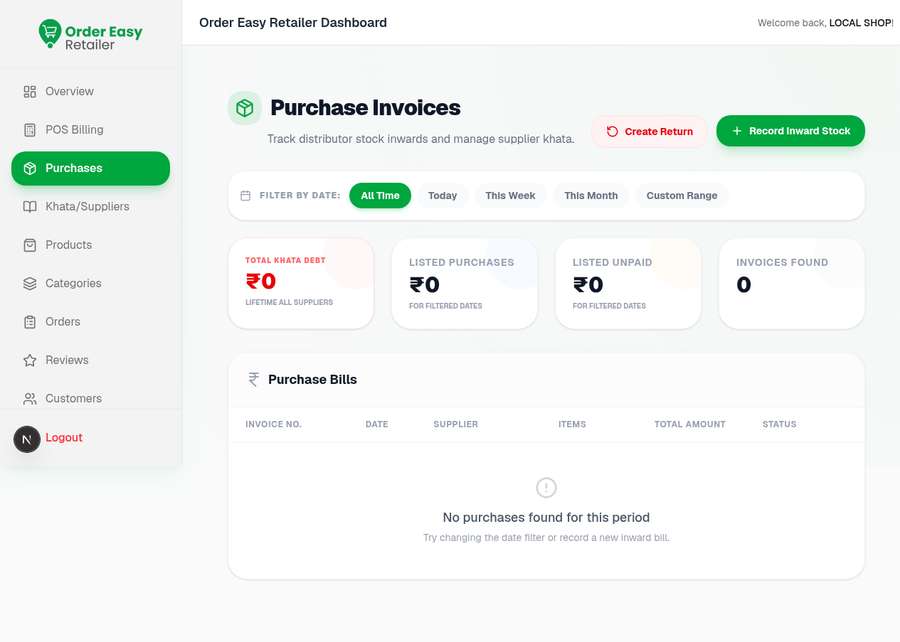
Inward stock is recorded as a purchase invoice. One bill is on file — FAT-PO-1001 from Metro Wholesale Bengaluru, 12 items, ₹10,440, marked PARTIAL — and the cards above read ₹10,440 listed purchases against ₹5,220 still unpaid, which is the same ₹5,220 the khata calls lifetime debt.

Purchase Invoices · Inward stock
order-easy-retailer-dashboard/purchases dummy shop data
Purchase Invoices page with total khata debt ₹5,220, listed purchases ₹10,440, listed unpaid ₹5,220 and one purchase bill FAT-PO-1001 from Metro Wholesale Bengaluru marked partial
Detail of Purchase Invoices page with total khata debt ₹5,220, listed purchases ₹10,440, listed unpaid ₹5,220 and one purchase bill FAT-PO-1001 from Metro Wholesale Bengaluru marked partial — Money cards
Detail of Purchase Invoices page with total khata debt ₹5,220, listed purchases ₹10,440, listed unpaid ₹5,220 and one purchase bill FAT-PO-1001 from Metro Wholesale Bengaluru marked partial — The bill

The money cards

  • Total khata debt ₹5,220 Lifetime all suppliers
  • Listed purchases ₹10,440 For filtered dates
  • Listed unpaid ₹5,220 For filtered dates
  • Invoices found 1 All Time

The one bill on file

Invoice no.
FAT-PO-1001
Date
04 Sept 2026
Supplier
Metro Wholesale Bengaluru
Items
12
Total
₹10,440
Status
PARTIAL

Partial means part of the ₹10,440 is paid and ₹5,220 is still on the khata.

Actions and filters

  • Create Return
  • Record Inward Stock
  • All Time
  • Today
  • This Week
  • This Month
  • Custom Range

Track distributor stock inwards and manage supplier khata.

06Stock & suppliers · Khata/Suppliers

The credit book, by distributor

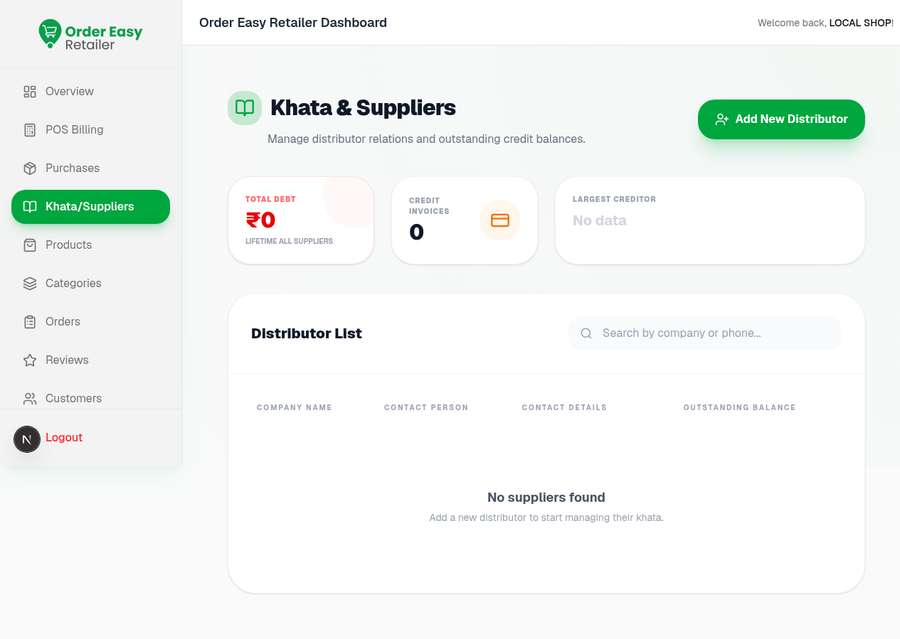
The khata is the same ₹5,220 seen on Purchases, now arranged by who is owed. One distributor is on file: Metro Wholesale Bengaluru, contact Ravi Kumar on 9886012345, no email, ₹5,220 outstanding — which makes it both the only creditor and the largest one.

Khata & Suppliers · Outstanding credit
order-easy-retailer-dashboard/khata-suppliers dummy shop data
Khata and Suppliers page with total debt ₹5,220, one credit invoice, largest creditor Metro Wholesale Bengaluru, and a distributor row for Metro Wholesale Bengaluru with contact Ravi Kumar
Detail of Khata and Suppliers page with total debt ₹5,220, one credit invoice, largest creditor Metro Wholesale Bengaluru, and a distributor row for Metro Wholesale Bengaluru with contact Ravi Kumar — Debt summary
Detail of Khata and Suppliers page with total debt ₹5,220, one credit invoice, largest creditor Metro Wholesale Bengaluru, and a distributor row for Metro Wholesale Bengaluru with contact Ravi Kumar — Distributor row

Debt summary

  • Total debt, lifetime₹5,220
  • Credit invoices1
  • Largest creditorMetro Wholesale Bengaluru

Distributor on file

Company
METRO WHOLESALE BENGALURU
Contact person
Ravi Kumar
Phone
9886012345
Email
No email
Outstanding
₹5,220 due

Same ₹5,220, two screens

Purchases counts it as unpaid against a bill; Khata counts it as owed to a person. One number, two ways of asking about it — which bill, and who do I pay.

07The storefront · Orders

Online and store orders in one queue

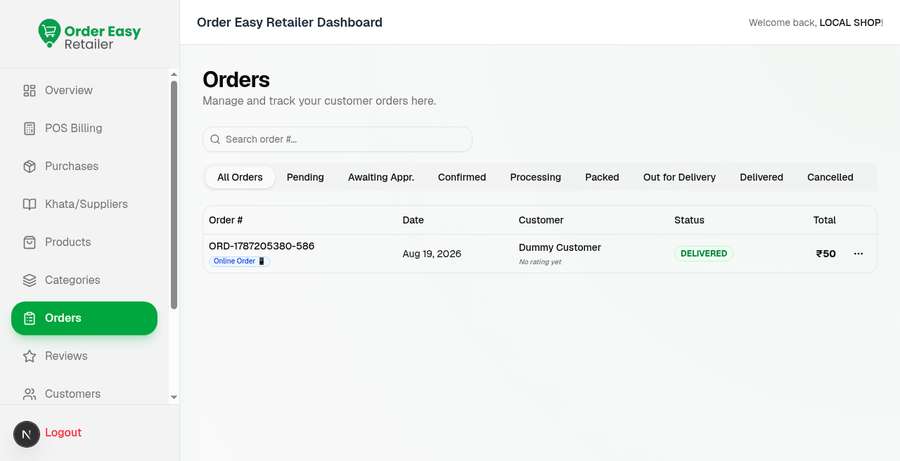
Ten orders sit in one list, each tagged Online Order or Store Order and filterable by stage from Pending through Delivered. Eight are delivered; the two newest are Pending and flagged Process later, and they are the two the sidebar badge is counting.

Add up the eight delivered rows — 520, 488, 499, 520, 499, 520, 453, 520 — and you get ₹4,019, the revenue KPI. The two pending rows (₹732.60 and ₹745.20) are not in it yet.

Orders · 2 pending
order-easy-retailer-dashboard/orders dummy shop data
Orders page listing ten customer orders dated Sep 10 2026 with online and store badges, eight delivered and two pending marked process later
Detail of Orders page listing ten customer orders dated Sep 10 2026 with online and store badges, eight delivered and two pending marked process later — Stage tabs
Detail of Orders page listing ten customer orders dated Sep 10 2026 with online and store badges, eight delivered and two pending marked process later — The two pending

All 10 orders, Sep 10, 2026

Order #ChannelCustomerStatusTotal
FAT-ORD-HIST-001Online OrderPriya (localcust)Delivered₹520
FAT-ORD-HIST-002Online OrderPriya (localcust)Delivered₹488
FAT-ORD-HIST-003Store OrderPriya (localcust)Delivered₹499
FAT-ORD-IN-001Online OrderPriya (localcust)Delivered₹520
FAT-ORD-IN-002Online OrderPriya (localcust)Delivered₹499
FAT-ORD-IN-003Store OrderWalk-in RajuDelivered₹520
FAT-ORD-IN-004Online OrderPriya (localcust)Delivered₹453
FAT-ORD-HIST-004Store OrderPriya (localcust)Delivered₹520
ORD-1789061603-397Online OrderPriya (localcust)PendingProcess later₹732.6
ORD-1789062001-623Online OrderPriya (localcust)PendingProcess later₹745.2

What adds up to what

  • 8 delivered orders₹4,019
  • 2 pending orders₹1,477.8

The delivered total is the Overview revenue KPI exactly. The pending pair is what the sidebar badge is counting.

Stages an order moves through

  • All Orders
  • Pending
  • Awaiting Appr.
  • Confirmed
  • Processing
  • Packed
  • Out for Delivery
  • Delivered
  • Cancelled

Every row also carries “No rating yet” — the review loop exists but nothing in this seed has been rated.

08The storefront · Offers & Promotions

Three offers, three different shapes

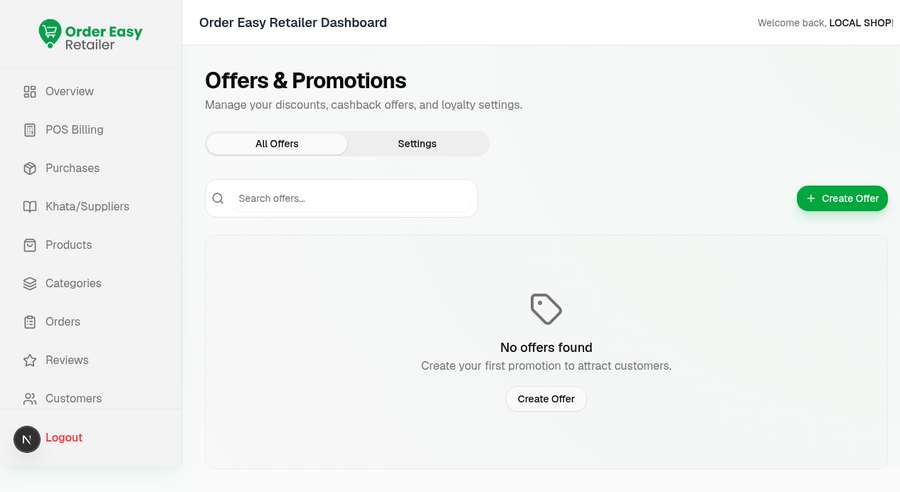
Offers are typed, not free-text: GreenCart 10% Off Cart is a cart-value rule, Weekend Dairy Deal is a percentage, Flat ₹50 Off is a flat amount. All three are Active over 9/9/2026 – 12/9/2026 and all three show Redemptions: 0 — nothing in this seed has used them yet.

This is the engine the POS screen is waiting on when its cart says “Calculating real-time offers…”.

Offers & Promotions
order-easy-retailer-dashboard/offers dummy shop data
Offers and Promotions page with three active offers — GreenCart 10% Off Cart, Weekend Dairy Deal and Flat ₹50 Off — each showing zero redemptions
Detail of Offers and Promotions page with three active offers — GreenCart 10% Off Cart, Weekend Dairy Deal and Flat ₹50 Off — each showing zero redemptions — The three offers

Offers on the capture

OfferTypeWindowRedemptions
GreenCart 10% Off CartCart value9/9/2026 – 12/9/20260
Weekend Dairy DealPercentage9/9/2026 – 12/9/20260
Flat ₹50 OffFlat amount9/9/2026 – 12/9/20260

How an offer is described

State
Active on all three
Window
9/9/2026 – 12/9/2026
Counter
Redemptions, per offer
Create
Create Offer

Tabs

  • All Offers
  • Settings

Settings holds the loyalty and cashback configuration named in the page sub-line; this capture is on All Offers.

09The storefront · Operating Hours

When the shop takes orders

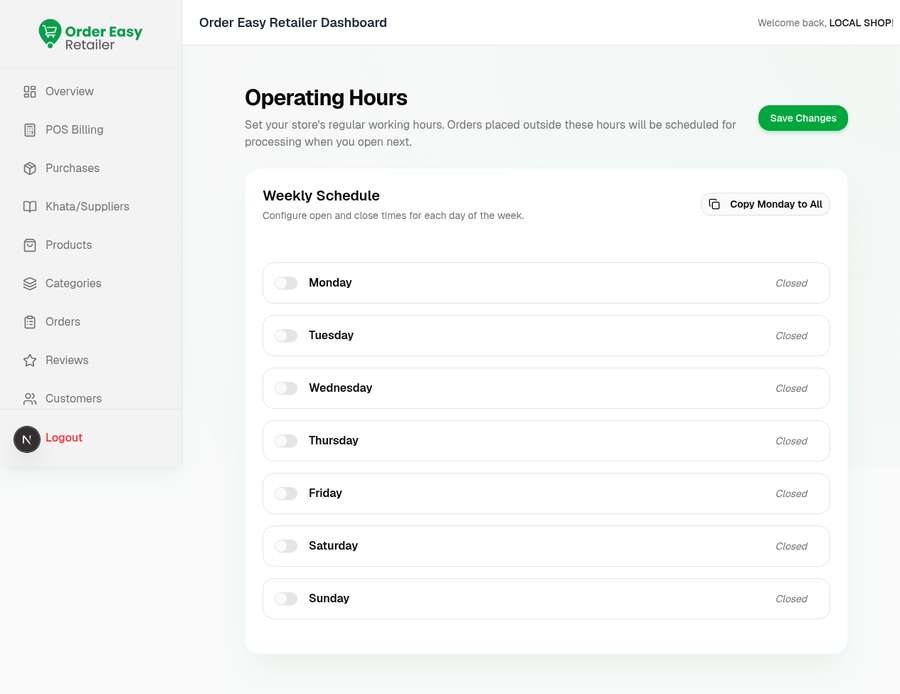
Each weekday gets a toggle and an opens/closes pair. GreenCart runs 07:00 AM–10:00 PM Monday to Thursday, stays open to 10:30 PM on Friday and Saturday, and opens later and shuts earlier on Sunday, 08:00 AM–09:00 PM. The page states what happens outside those hours: orders are scheduled for processing when the shop next opens.

Operating Hours · Weekly schedule
order-easy-retailer-dashboard/settings/hours dummy shop data
Operating Hours page with a weekly schedule — Monday to Thursday 07:00 AM to 10:00 PM, Friday and Saturday to 10:30 PM, Sunday 08:00 AM to 09:00 PM
Detail of Operating Hours page with a weekly schedule — Monday to Thursday 07:00 AM to 10:00 PM, Friday and Saturday to 10:30 PM, Sunday 08:00 AM to 09:00 PM — Monday row
Detail of Operating Hours page with a weekly schedule — Monday to Thursday 07:00 AM to 10:00 PM, Friday and Saturday to 10:30 PM, Sunday 08:00 AM to 09:00 PM — Weekend rows

Weekly schedule

DayOpensCloses
Monday07:00 AM10:00 PM
Tuesday07:00 AM10:00 PM
Wednesday07:00 AM10:00 PM
Thursday07:00 AM10:00 PM
Friday07:00 AM10:30 PM
Saturday07:00 AM10:30 PM
Sunday08:00 AM09:00 PM

Outside these hours

The page says it plainly: orders placed outside the schedule are scheduled for processing when the shop next opens. Nothing is refused, and nothing arrives at a shuttered counter.

Controls

  • Save Changes
  • Copy Monday to All
  • Per-day on/off toggle

10Catalog & customers · Customers

Two customers, two different relationships

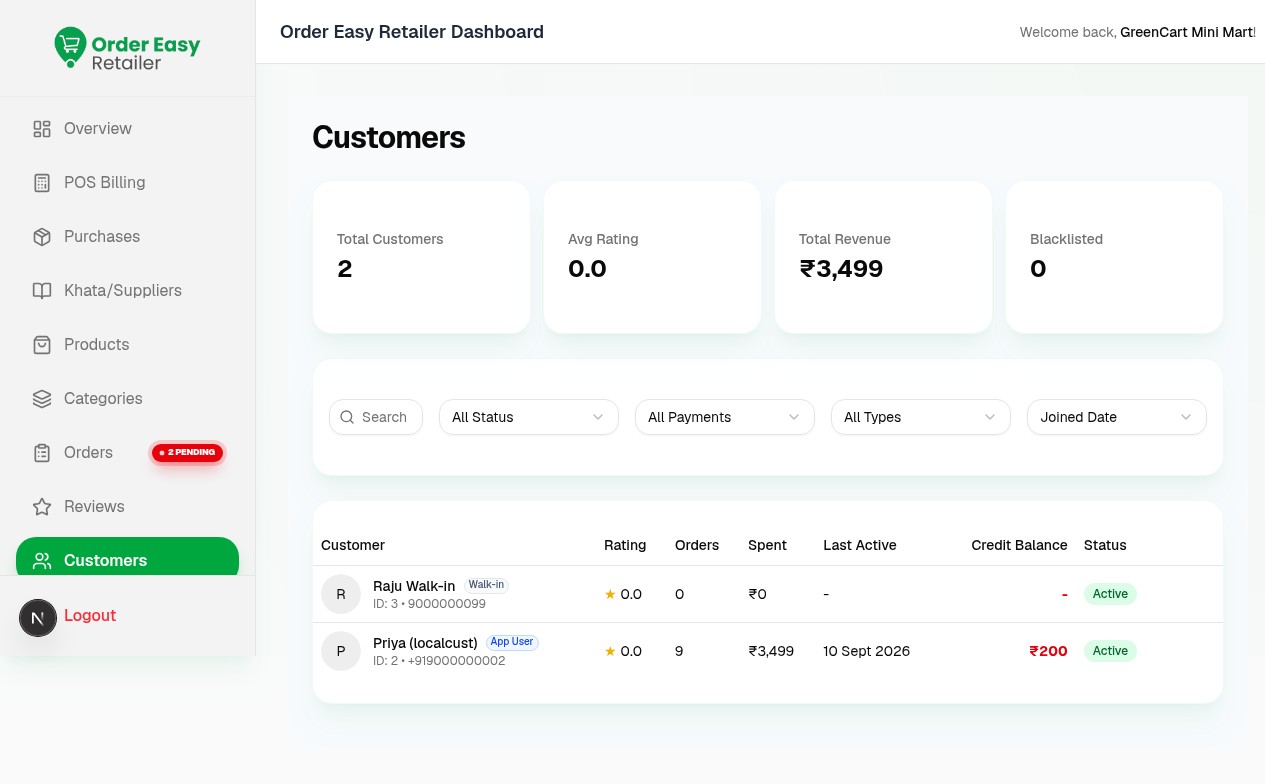
The shop has two customers on file: Raju Walk-in, tagged Walk-in with no orders against the account, and Priya, tagged App User with 9 orders, ₹3,499 spent, last active 10 Sept 2026, and a ₹200 credit balance carried on the shop’s books.

Priya’s 9 orders are the ten on the Orders screen minus the one Walk-in Raju store sale, and her ₹3,499 is the ₹4,019 revenue minus that ₹520 sale — her two pending orders are not counted as spend.

Customers · 2 on file
order-easy-retailer-dashboard/customers dummy shop data
Customers page with two customers on file — Raju Walk-in with no orders and Priya as an app user with 9 orders, ₹3,499 spent and a ₹200 credit balance
Detail of Customers page with two customers on file — Raju Walk-in with no orders and Priya as an app user with 9 orders, ₹3,499 spent and a ₹200 credit balance — Customer cards
Detail of Customers page with two customers on file — Raju Walk-in with no orders and Priya as an app user with 9 orders, ₹3,499 spent and a ₹200 credit balance — The two rows

Both customers

CustomerTypeOrdersSpentCredit
Raju Walk-inID: 3 · 9000000099Walk-in0₹0—
Priya (localcust)ID: 2 · +919000000002App User9₹3,499₹200

Header cards

  • Total Customers 2
  • Avg Rating 0.0
  • Total Revenue ₹3,499
  • Blacklisted 0

Cross-checking the seed

  • Revenue, all orders₹4,019
  • Less the Walk-in Raju sale−₹520
  • Priya’s spend₹3,499

Filters on the list

  • All Status
  • All Payments
  • All Types
  • Joined Date

Blacklisted is a state a shop can set and reads 0 here; average rating is 0.0 because no order in the seed has been rated.

11Catalog & customers · Categories

Twelve shelves the 55 items hang off

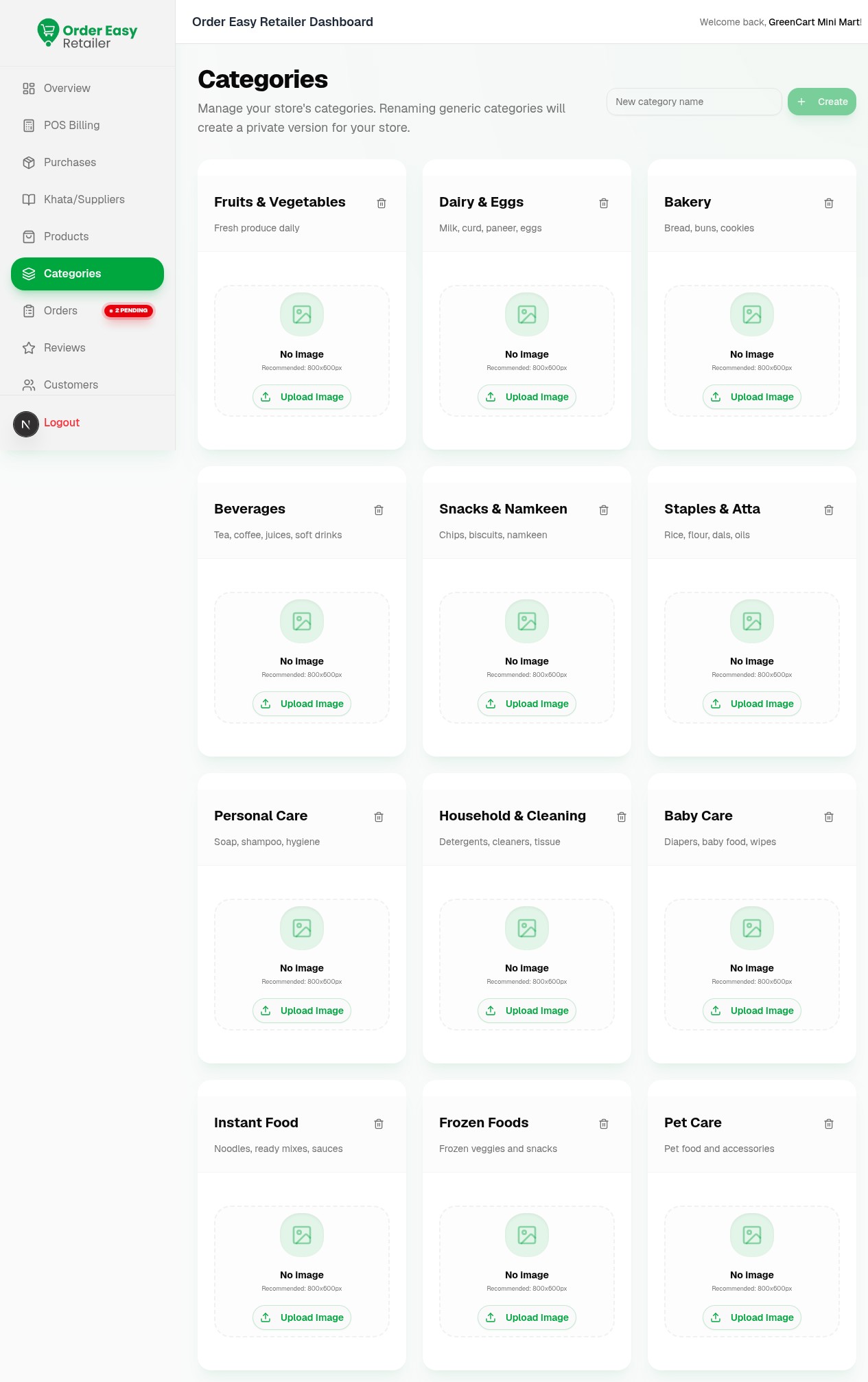
Twelve categories ship with the store, each with a one-line description and an empty 800×800 image slot. The page spells out the rename rule: renaming a generic category creates a private version for this store, so one shop’s wording never moves anyone else’s shelves.

This is a full-page capture — scroll inside the window to reach Pet Care at the bottom.

Categories · 12 shelves
order-easy-retailer-dashboard/categories dummy shop data
Categories page with twelve category cards from Fruits & Vegetables to Pet Care, each with a description and an empty image slot
Detail of Categories page with twelve category cards from Fruits & Vegetables to Pet Care, each with a description and an empty image slot — First shelf row

The twelve shelves

  • Fruits & VegetablesFresh produce daily
  • Dairy & EggsMilk, curd, paneer, eggs
  • BakeryBread, buns, cookies
  • BeveragesTea, coffee, juices, soft drinks
  • Snacks & NamkeenChips, biscuits, namkeen
  • Staples & AttaRice, flour, dals, oils
  • Personal CareSoap, shampoo, hygiene
  • Household & CleaningDetergents, cleaners, tissue
  • Baby CareDiapers, baby food, wipes
  • Instant FoodNoodles, ready mixes, sauces
  • Frozen FoodsFrozen veggies and snacks
  • Pet CarePet food and accessories

The rename rule

Manage your store’s categories. Renaming generic categories will create a private version for your store.

So a shop can call Staples & Atta whatever its customers call it, without renaming the shelf for every other shop on the platform.

Images

State on capture
No image on all twelve
Recommended
Recommended: 800×800px
Per card
Upload Image, or delete the shelf

The whole sidebar, in one place

Nine destinations run down the left of every signed-in capture. This tour visits all of them except Reviews, which has nothing to show in a seed where no order has been rated.

Reviews

Ratings from customers

Not captured

What this demo is, and is not